IntegralDots AssetSense Assets register automation
AI agents that keep the asset register in step with what you own.
AssetSense runs AI agents that find assets across your systems, compare the register with every source, and propose a fix when they disagree. A person approves each change. Every asset keeps its owner, its location and a full history, and the year-end count and the audit start from a register that is already reconciled.
- ComparesERP, CMDB, discovery, HR and procurement
- RunsInside your network or private cloud
- ChangesProposed by agents, approved by people
- Built forFinance, IT asset and facilities teams
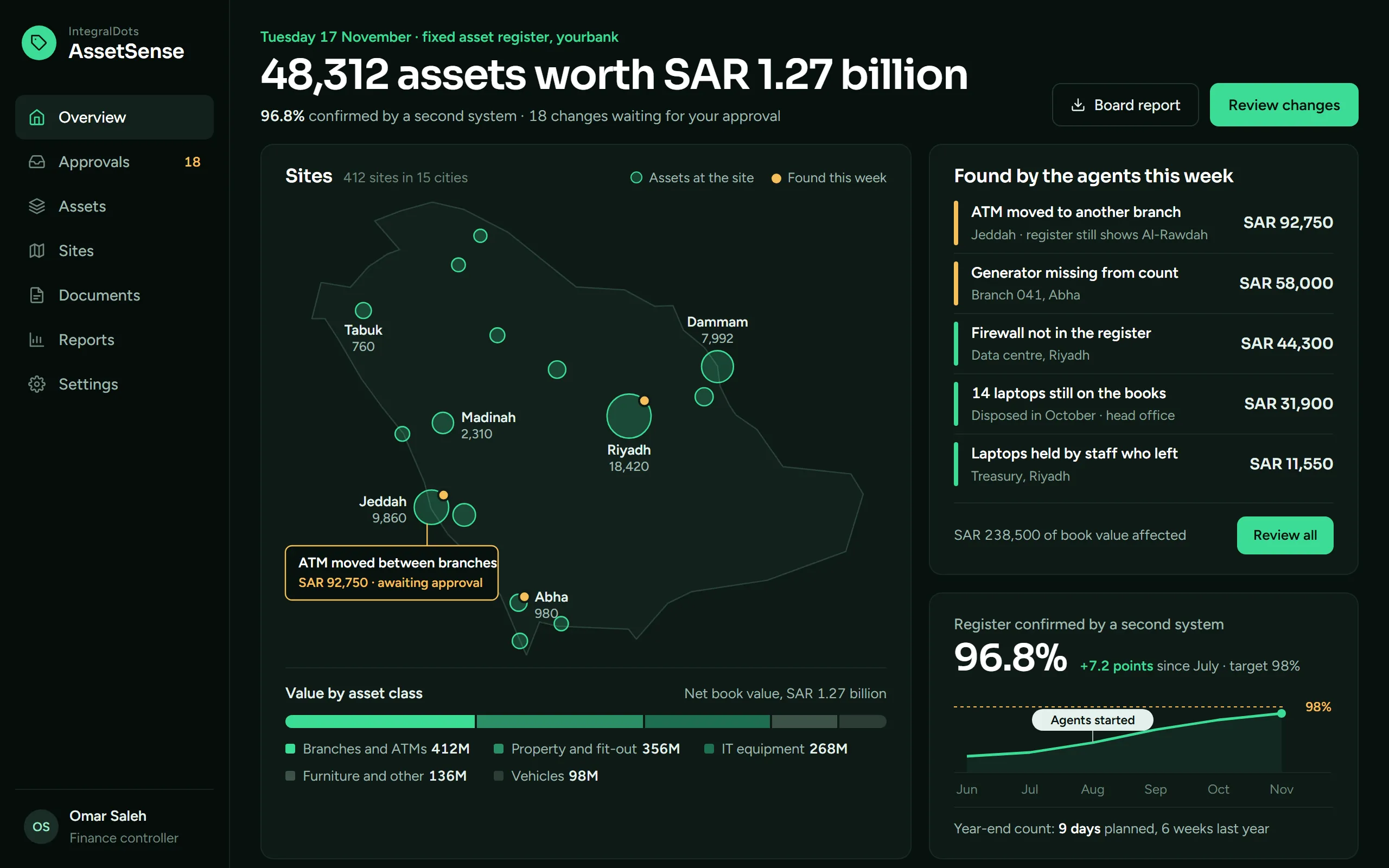
- The register at a glanceNumber of assets, net book value and the share confirmed by a second system, with the changes waiting for approval.
- Sites across the KingdomEach site is sized by its asset count. Amber dots mark the sites where the agents found something this week.
- Found this weekEach finding in plain words, with the book value affected. Review opens the changes waiting for approval.
- Accuracy against targetThe share of the register confirmed by a second system, month by month, against the 98% target.
Product screens show demo data.
Most asset registers start to drift the day they are signed off.
The register lives in the ERP. The facts live elsewhere: network scans, the service desk, HR leaver lists, branch transfer forms, purchase orders and invoices. Teams close the gap once a year with exports, spreadsheets and a physical count, and it opens again the next morning.
- Spreadsheet reconciliationEvery count means exports from several systems, matched by hand on tag and serial number, in workbooks only one person understands.
- Ghost and missing assetsDisposed equipment keeps depreciating, while equipment bought on an invoice never reaches the register.
- Stale ownershipPeople leave, branches refit and equipment moves, but custodians and cost centres stay as they were.
- Audit pressureAuditors ask who changed what, when and on what evidence. The answer sits in email threads and old workbooks.
How the agents keep the register current.
Agents do the reading, matching and drafting. Your finance and asset teams keep every decision.
Connect
Read-only links to the ERP fixed-asset module, CMDB, endpoint and network discovery, procurement, HR and facilities systems.
Discover
The discovery agent finds assets in each source, including ones the register has never seen, and matches them on tag, serial, invoice and location.
Reconcile
The reconciliation agent compares every asset with every source, on the schedule you set, and raises a finding where they disagree.
Propose
For each finding an agent drafts the fix (add, transfer, reassign, retire, merge or correct) with the evidence attached.
Approve and record
People approve under your maker-checker rules. Approved changes are posted to the register and added to the asset's history.
What the agents cover.
Find what the register is missing
Agents read discovery scans, the CMDB, purchase orders and invoices, and draft register entries for assets that were bought or installed but never recorded.
Checked on the schedule you set
Every asset is checked against every connected source. Differences in location, serial, custodian, status or cost become findings, ranked by value.
From purchase order to disposal
Requests, receipts, capitalisation, transfers, counts and disposals form one lifecycle, each step linked to the document behind it.
Owners and custodians that stay current
Leavers, branch moves and cost-centre changes are picked up from source systems, and reassignments are proposed before assets go unaccounted for.
People approve every change
Maker-checker rules by asset class and value. Agents never change the register on their own, and every decision records its reviewer.
Reports for finance and audit
Attestation packs, reconciliation status, open findings and full change history, exported for finance, internal audit and external auditors.
What finance and asset teams see.
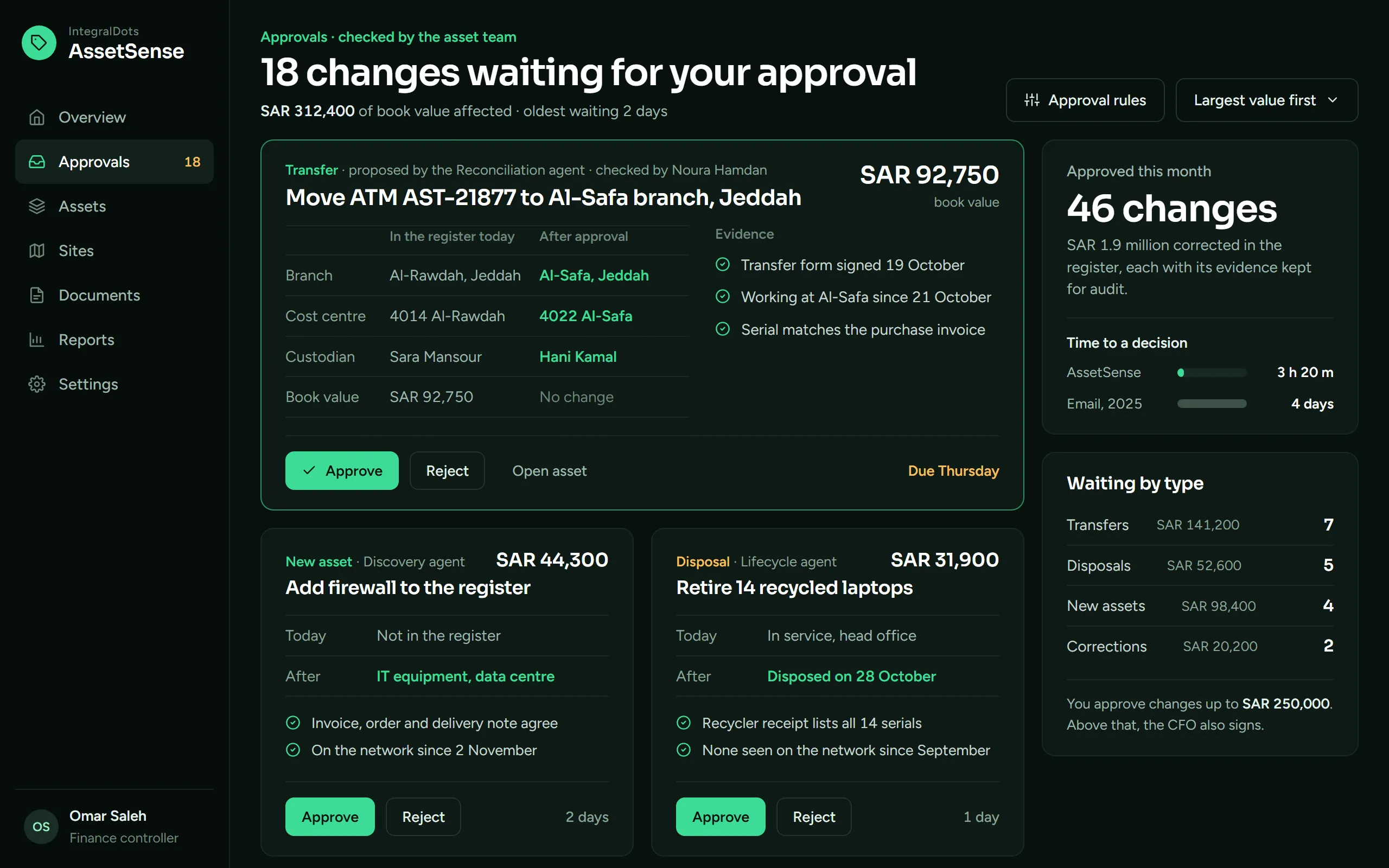
Approvals with the evidence attached
Every change an agent proposes reaches the approver with the register values before and after, and the documents behind it. The decision is made on the card.
- Waiting for youChanges waiting, the book value they affect and how long the oldest has waited.
- Before and afterThe register today and after approval, field by field, with the changed values highlighted.
- EvidenceThe documents and system readings that support the change, in plain words.
- Approve or rejectOne decision per card, with the due date. Nothing is posted to the ERP before approval.
- Time to a decisionChanges approved this month and the average time to decide, compared with approval by email.
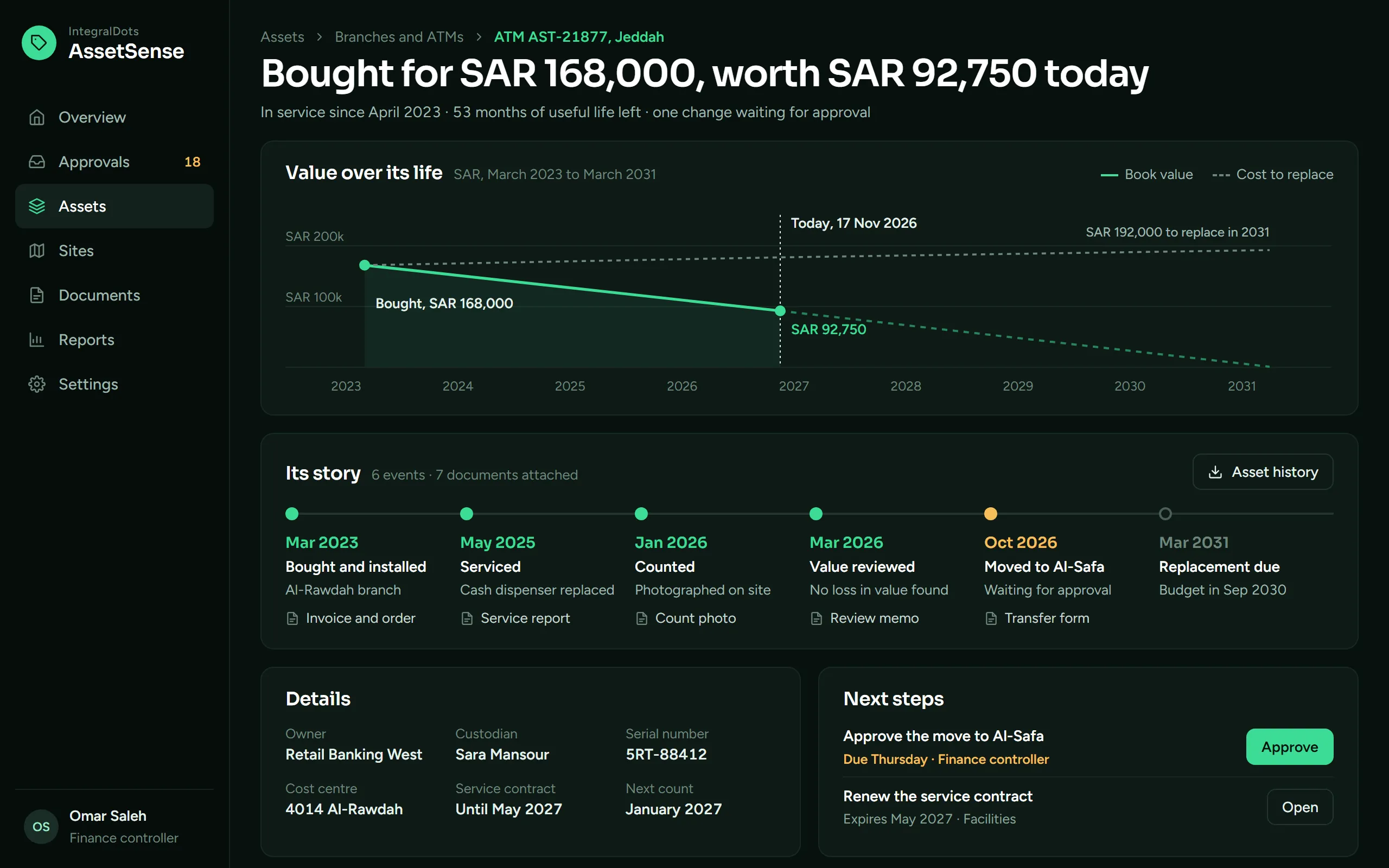
The story of one asset
Open any asset to see what it cost, what it is worth today, what happened to it and the document behind each event.
- Cost and valueWhat the asset cost, what it is worth today and how much useful life is left.
- Value over its lifeBook value from purchase to the end of its useful life, against the cost to replace it.
- Its storyPurchase, service, count, value review and transfer in date order, then the planned replacement.
- DocumentsEach event links to its document: order and invoice, service report, count photo, review memo, transfer form.
- Next stepsWhat still needs doing on this asset, by whom and by when.
Runs inside your boundary.
Asset records hold locations, people and values. They stay in your environment, under your access rules and your records policy.
Deployment
- Your data centre or private cloud tenancy
- Agents run in your environment, against your own systems
- Read-only connections to source systems by default
- High-availability setup with health checks and alerting
Security
- Single sign-on with your identity provider and role-based access
- A least-privilege service account for each source system
- Encryption in transit and at rest
- Values and personal data visible only to the roles that need them
Governance
- Maker-checker approval by asset class and value
- Agents can propose changes; only approved changes are posted
- Every finding, proposal and decision logged with its evidence
- Retention that follows your records policy
Integration
- ERP fixed-asset modules through APIs, database views or file exchange
- CMDB, service desk, endpoint and network discovery tools
- HR, procurement and facilities systems for ownership and lifecycle events
- Exports to finance reporting and audit tools
- PDPL data handling
- SAMA Cyber Security Framework controls
- IAS 16 asset records
- SAML and OpenID Connect SSO
Questions finance and asset teams ask
Does it replace our ERP fixed-asset module?
No. The ERP stays the book of record for cost and depreciation. AssetSense keeps it accurate: it finds differences, proposes corrections and, once a person approves them, posts them through the integration you choose.
Can the agents change the register on their own?
No. Agents read sources and draft changes with the evidence attached. A person approves every change under your maker-checker rules, and the reviewer, time and evidence are logged.
Which systems can it compare?
Any system that holds a fact about an asset: the ERP, CMDB, service desk, endpoint and network discovery, ATM and device monitoring, procurement, HR and facilities. Connections are read-only by default, through APIs, database views or file exchange.
Do we still need a physical count?
For assets no system can see, such as furniture or generators, yes. AssetSense points counts at the assets with the weakest evidence and records the result, so a count can cover only those assets.
How does a rollout usually start?
With one asset class, such as IT hardware or ATMs, and two or three sources. Most of the effort goes into agreeing matching rules and approval thresholds with finance; more classes and sources follow.
Related products
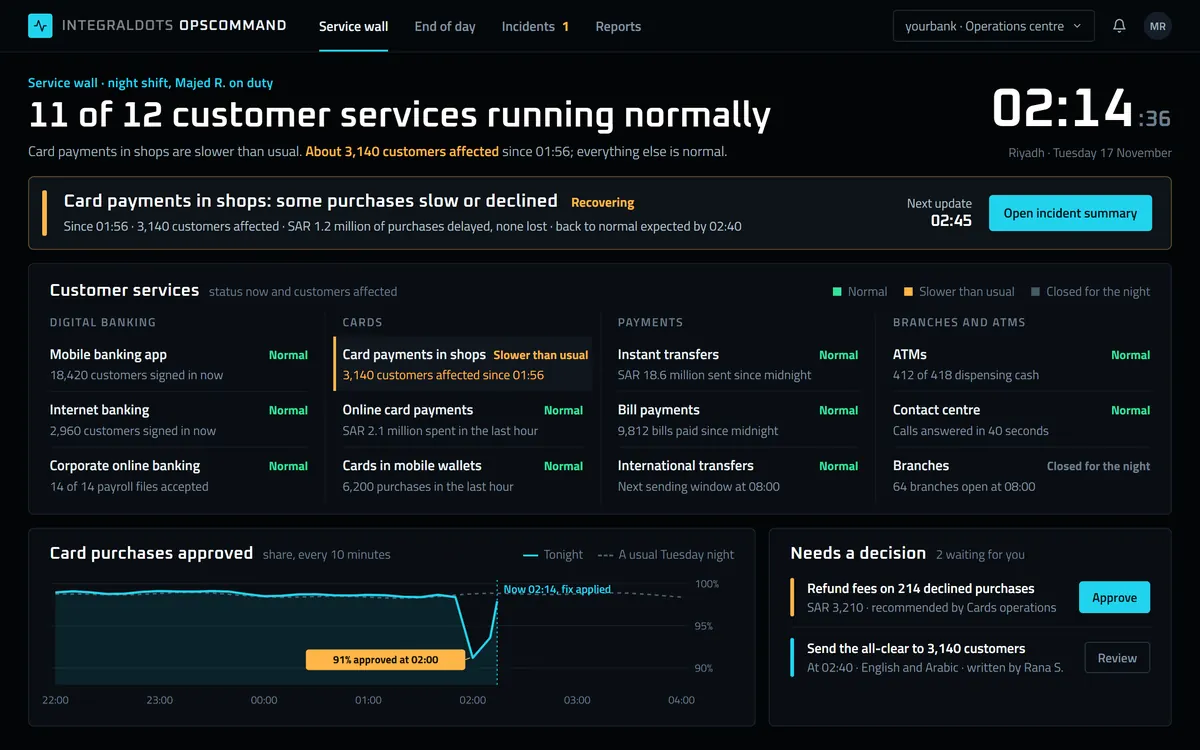 Operations
OpsCommand Operations command center
Every platform, queue and batch job on one wall, with the workflow to act on it.
Explore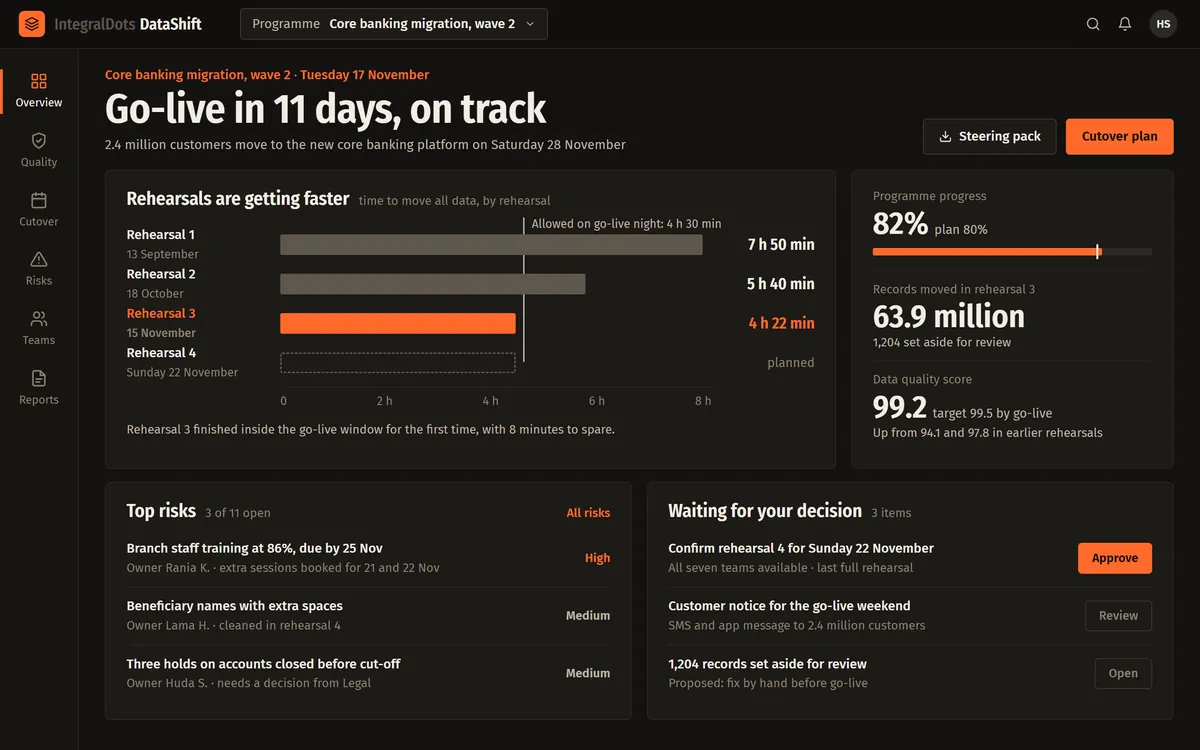 Foundation
DataShift Data migration platform
Versioned pipelines, row-level reconciliation and rehearsed cutovers with a tested rollback.
Explore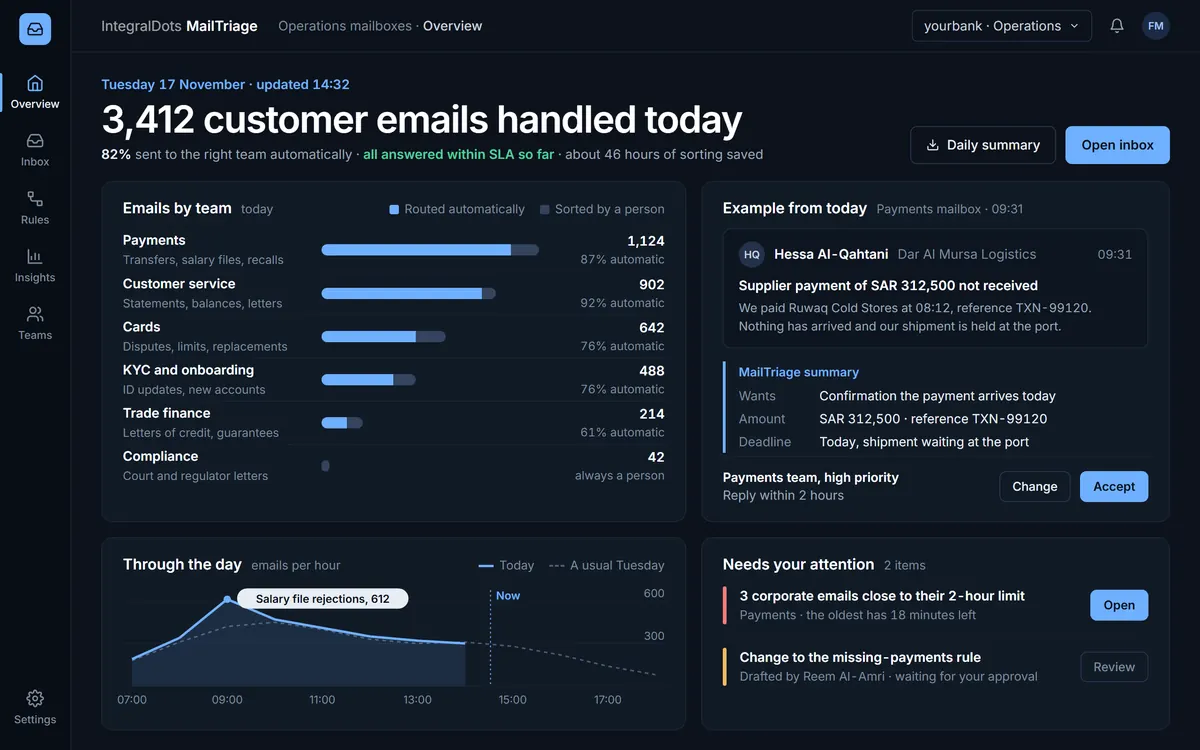 AI operations
MailTriage AI triage for operational email
AI triage for the shared mailboxes your operations run on, with explained and logged decisions.
Explore