IntegralDots MailTriage AI triage for operational email
AI triage for the shared mailboxes your operations run on.
MailTriage reads every message that lands in a shared mailbox, in Arabic or English, works out what it is and how urgent it is, pulls out the details a team needs, and routes it under your rules. People handle the exceptions, and each decision is logged with the rule and reasons behind it.
- Works withMicrosoft 365 and Exchange
- RunsInside your network or private cloud
- DecisionsExplained, logged, reversible
- Built forPayments, cards, KYC and trade operations
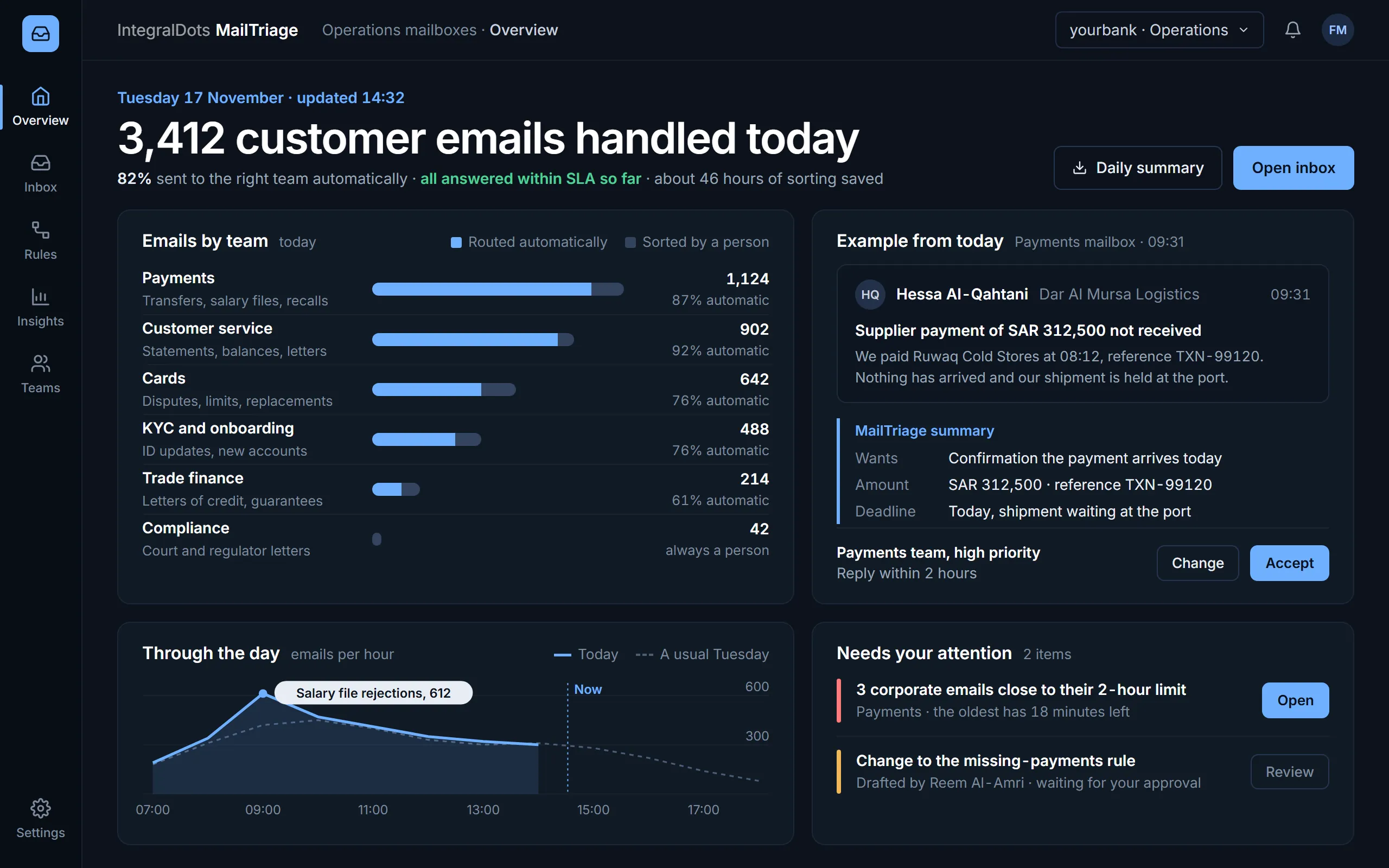
- Today at a glanceEmails handled today, the share sent to the right team without a person, SLA status and the sorting time saved.
- Volume by teamEach team's emails today, split between those routed automatically and those a person sorted. Court and regulator letters always go to a person.
- Plain-language summaryFor every email, MailTriage writes what the customer wants, the amount and the deadline, so the team can act without reading the whole thread.
- Suggested teamThe team, priority and reply time MailTriage proposes. A person accepts or changes it, and the decision is recorded with the rule behind it.
Product screens show demo data.
Shared mailboxes are where operational work goes to hide.
Payments, cards, KYC and trade teams each run on shared mailboxes that take in hundreds of messages a day: customer requests, branch queries, partner escalations, letters from authorities. Sorting them by hand is slow, uneven, and invisible to the people who manage the service.
- Manual sortingSomeone reads every message just to decide who should read it, so queues start each day behind.
- Missed urgencyA same-day payment problem looks like any other email until the customer calls back.
- No visibilityManagers can't see backlog, ageing or SLA risk until it has already become a complaint.
- No recordWho decided what, and why, lives in people's heads and forwarded threads.
From the inbox to the right desk, automatically.
Five steps run on every message. Your teams set the rules; MailTriage applies them consistently and shows its working.
Connect
Links to your Microsoft 365 or Exchange shared mailboxes with least-privilege access. Mail stays on your mail platform.
Understand
Reads Arabic and English email, classifies each message by intent, category and urgency, and extracts amounts, references, dates and identifiers.
Decide
Your routing rules combine those signals with thresholds, customer tier and rosters to choose a team, priority and SLA.
Act
Routes, tags and tracks the message. Routine requests can be answered from approved templates; unclear ones go to a person.
Learn
Reviewer corrections are captured as feedback and checked before they shape the next model version.
Everything an operations floor needs from its inbox.
Intent, category and priority
Trained on the categories your teams already use. A confidence score on each result decides when a person must review it.
The details that matter
Amounts, currencies, references, account and case numbers, value dates and customer identifiers, masked where policy requires.
Rules your teams can read
Conditions and actions in business terms, versioned, simulated against past mail, and approved by a second person before going live.
Clocks and escalation
SLAs per priority, business-hours calendars, escalation paths and on-shift rosters, with warnings before a breach rather than after.
Safe automatic replies
Approved templates for routine requests such as statement copies and status checks. Never used on rules marked human-only.
Dashboards and a daily summary
Volume, backlog, SLA compliance, team load and classifier quality, with a daily summary sent to managers.
Built for the people who run the queue.
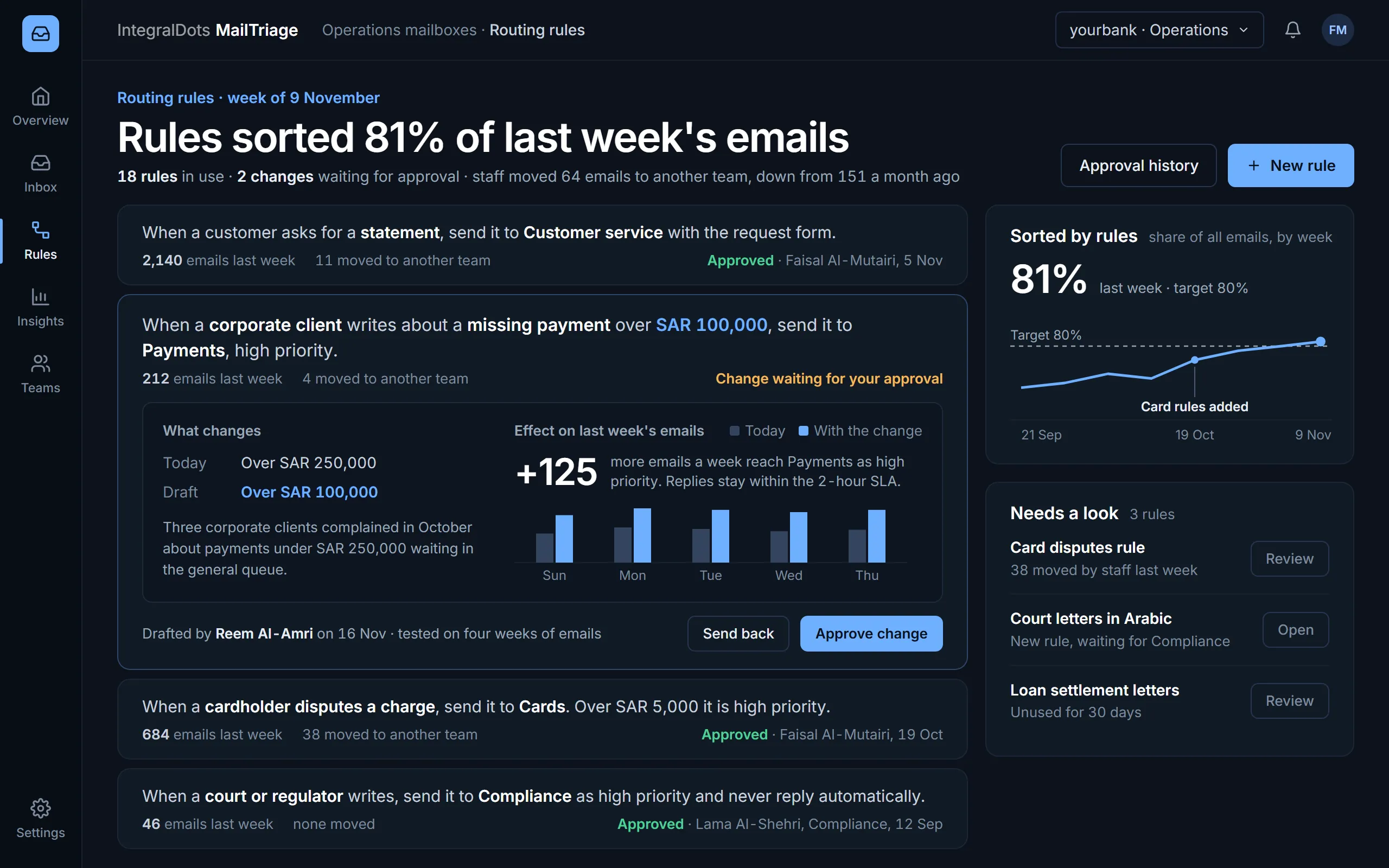
Routing rules in plain language
Each rule reads as a sentence a team lead can check. Changes are drafted, tested on past weeks of email and approved by a second person before they go live.
- Rule as a sentenceWhich emails, which team and what priority, with last week's volume, the emails staff had to move and who approved the rule.
- Draft changeThe value in use today and the proposed value side by side, with the reason the rule owner gave.
- Effect before approvalThe draft is replayed on last week's email: 125 more emails a week reach Payments as high priority, shown day by day.
- ApprovalThe approver accepts the change or sends it back to its owner. Nothing goes live until then.
- Rules over timeThe share of email sorted by rules each week against the target, with the week the card rules were added.
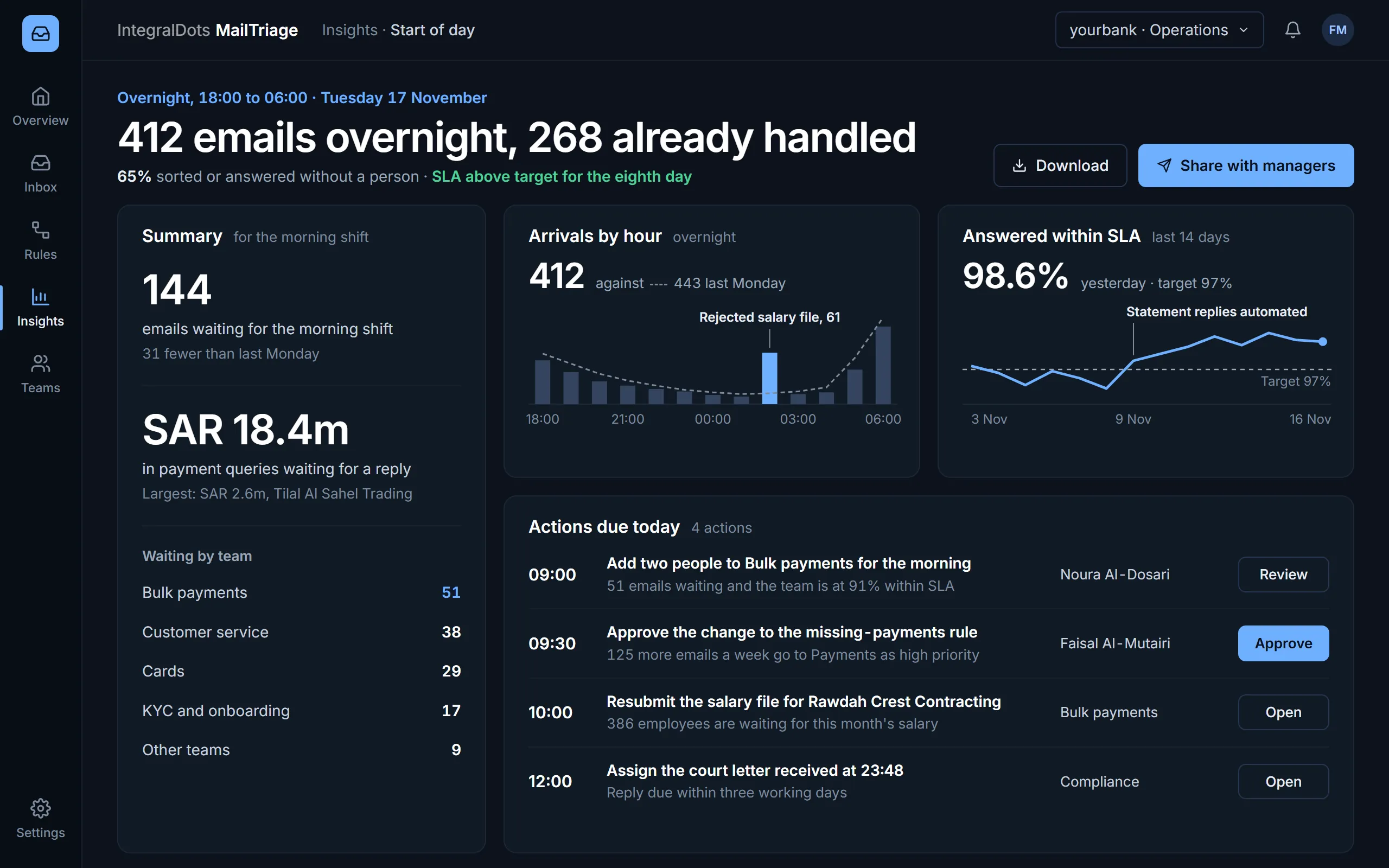
Start of day for managers
Before the morning shift begins, managers see what arrived overnight, what is still waiting and what falls due before noon. The same summary is sent to them by email each working day.
- SummaryEmails waiting for the morning shift against last Monday, and the value of payment queries still without a reply.
- Waiting by teamWhere the open emails sit, so a manager can move people before the queue builds.
- Arrivals by hourOvernight arrivals against a usual night, with the peak explained: one rejected salary file brought 61 emails at 02:00.
- SLA against targetThe share answered within SLA over 14 days against the 97% target, with the day statement replies were automated.
- Actions due todayEach action with a time, an owner and a button: a staffing change, a rule approval, a salary file to resubmit and a court letter to assign.
Runs inside your boundary.
MailTriage runs in your data centre or private cloud, signs users in through your identity provider and keeps records under your retention policy.
Deployment
- Your data centre or private cloud tenancy
- Classification runs in your environment, so mail content stays under your control
- Works alongside Microsoft 365 and on-premises Exchange
- High-availability setup with health checks and alerting
Security
- Least-privilege mailbox access through service identities
- Single sign-on with your identity provider and role-based access
- Encryption in transit and at rest
- Account and card numbers masked in alerts and summaries
Governance
- Every decision logged with its signals, rule and model version
- Maker-checker approval for rule and template changes
- Human review below a confidence threshold you set
- Retention that follows your records policy
Integration
- Microsoft Graph for Microsoft 365; Exchange Web Services for on-premises Exchange
- Case and ticketing systems through REST APIs or your integration layer
- Escalation alerts to Microsoft Teams or email
- Exports to your reporting and data platform
- PDPL data handling
- SAMA Cyber Security Framework controls
- OAuth 2.0
- SAML and OpenID Connect SSO
- Microsoft Graph
Questions operations leaders ask
Does our mail leave our environment?
No. MailTriage is deployed in your network or private cloud and classifies mail there. Integrations you switch on, such as case management or Teams alerts, send data only to systems you choose.
What happens when the AI isn't sure?
Below the confidence threshold you set, the message goes to a person together with the suggested category and the reasons. Individual rules can also be marked human-only, so they are never automated.
Does it handle Arabic email?
Yes. MailTriage classifies and routes email in Arabic and English, and pulls out the same details from both.
Who owns the routing rules?
Your operations leads. Rules are edited in the product, simulated against recent mail and approved by a second person. IT does not need to ship a release for a routing change.
Can it work with our case or ticketing system?
Yes. A routed message can create or update a case in your existing tools through REST APIs or your integration layer, so teams keep working where they already work.
How does a rollout usually start?
With one or two shared mailboxes. Most of the effort goes into agreeing categories, rules and SLAs with the teams; the scope then grows queue by queue.
Related products
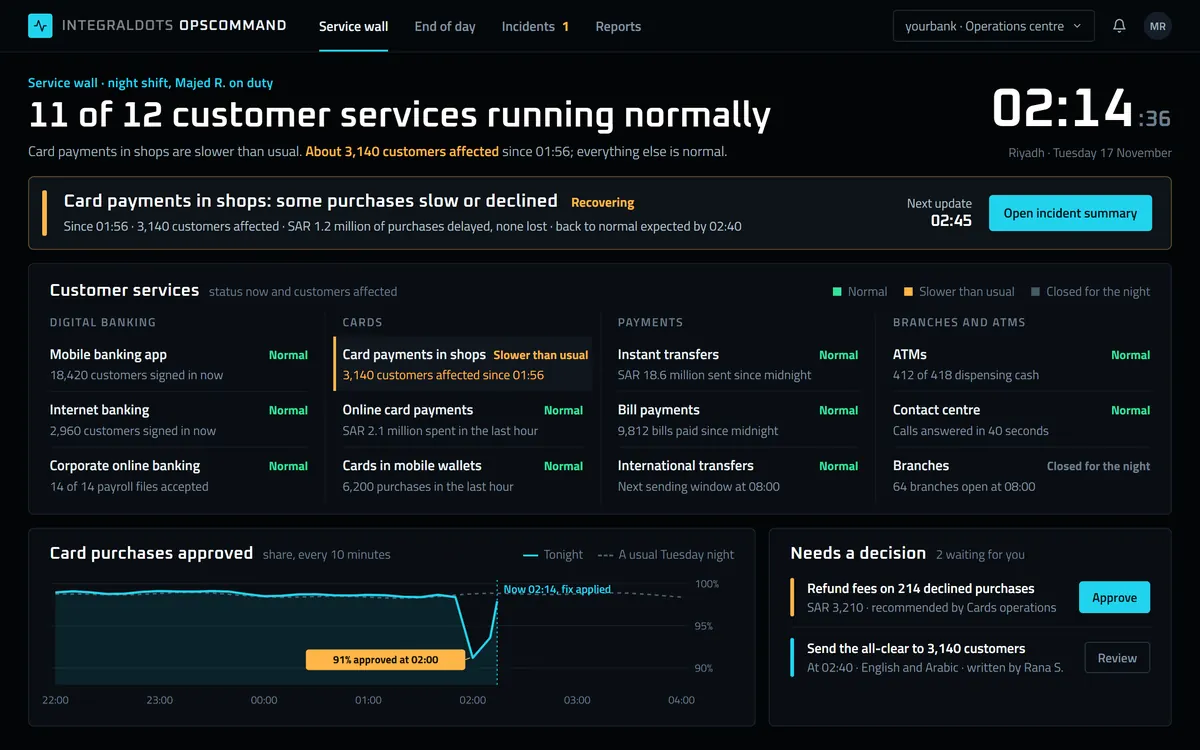 Operations
OpsCommand Operations command center
Every platform, queue and batch job on one wall, with the workflow to act on it.
Explore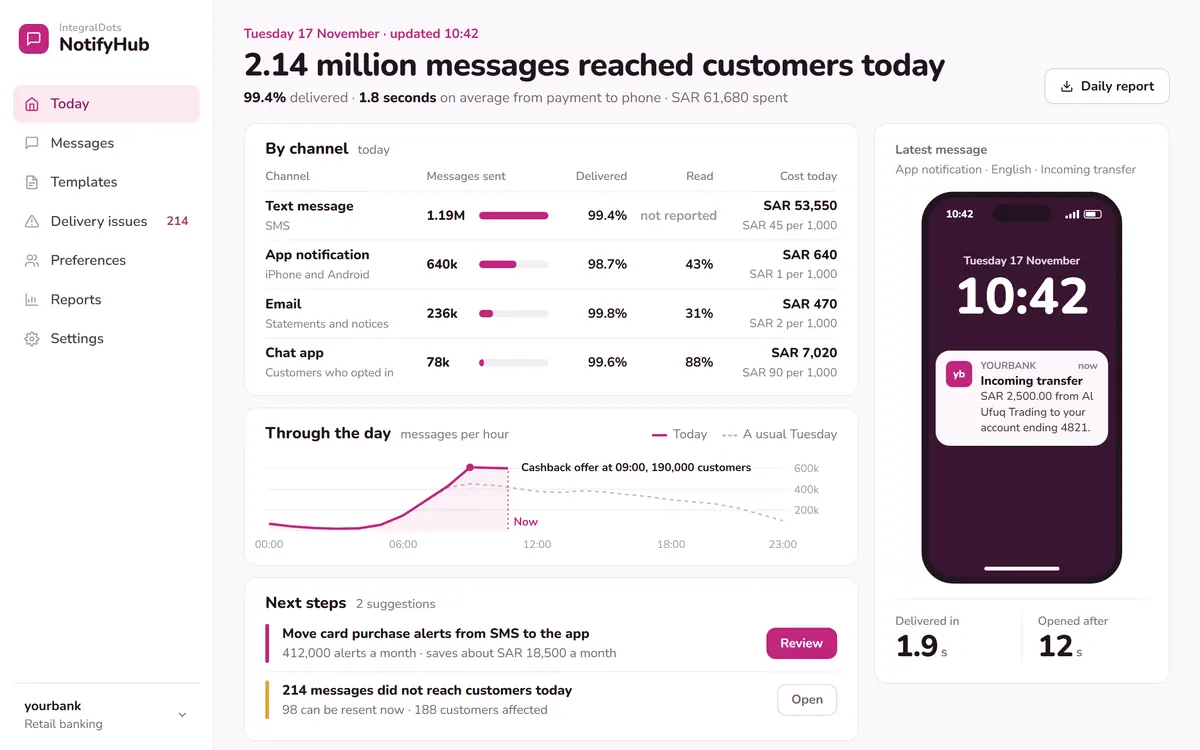 Foundation
NotifyHub Notification hub
Publish once; the hub delivers by SMS, email, push and in-app, and tracks every message.
Explore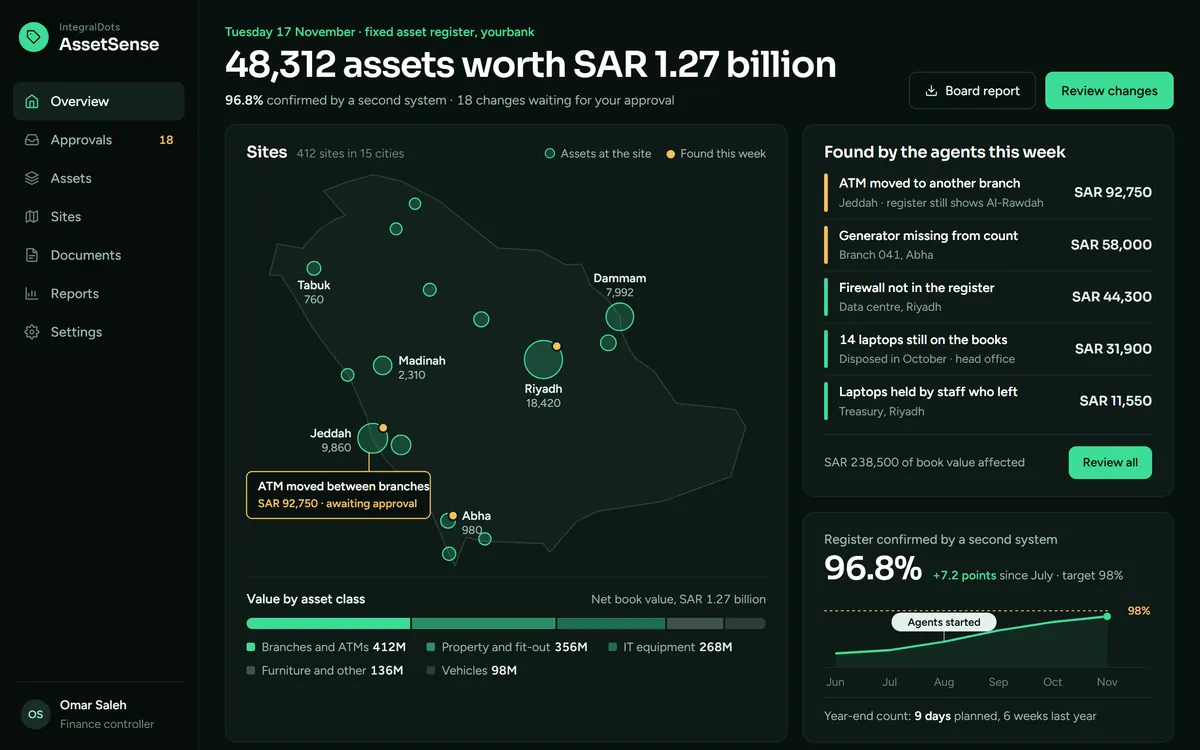 AI automation
AssetSense Assets register automation
AI agents that build and reconcile your asset register, with a full change history.
Explore